
If you create a new project in .NET 9 or soon in .NET 10, you may have noticed something missing.
Swagger UI (via Swashbuckle.AspNetCore) is no longer included by default.
For a while, the Swashbuckle.AspNetCore project wasn't actively maintained. While it has regained some momentum since, Microsoft decided not to rely on third-party packages for API documentation.
Instead, they introduced Microsoft.AspNetCore.OpenApi to a template, a first-party solution focused solely on generating OpenAPI documents.
Microsoft.AspNetCore.OpenApi
Microsoft.AspNetCore.OpenApi package provides built-in support for OpenAPI document generation in ASP.NET Core.
Packed with powerful features, this package includes:
- Runtime generation of OpenAPI documents
- Modifiable via transformer APIs
- Support for multiple documents
- Native AOT compatibility
- Full integration with System.Text.Json
builder.Services.AddOpenApi();

var app = builder.Build();

if (app.Environment.IsDevelopment())
{
    app.MapOpenApi(); // Exposes /openapi/v1.json
}
When you run your application and navigate to /openapi/v1.json, you’ll see the generated OpenAPI JSON document. However, note that there is no built-in UI provided.
Since Microsoft currently only offers documentation and has no plans to add a UI, let's explore alternative solutions.
Swashbuckle
We can always return Swashbuckle packages.
Swashbuckle has been a go-to solution in the .NET ecosystem for years and provides a seamless way to generate and display Swagger UI directly in your ASP.NET Core applications.
You can integrate Swashbuckle in two ways, depending on whether you want to replace the Microsoft.AspNetCore.OpenApi package or use both together.
- Replace Microsoft.AspNetCore.OpenApi with Swashbuckle.AspNetCore
This is the most straightforward approach. Swashbuckle will handle both OpenAPI document generation and the Swagger UI.
dotnet add package Swashbuckle.AspNetCore- Keep Microsoft.AspNetCore.OpenApi with Swashbuckle.AspNetCore.SwaggerUI
You don't need to remove AspNetCore.OpenApi, you can simply add the Swashbuckle.AspNetCore.SwaggerUI package to introduce a UI:
dotnet add package Swashbuckle.AspNetCore.SwaggerUIbuilder.Services.AddOpenApi();
var app = builder.Build();
if (app.Environment.IsDevelopment())
{
app.MapOpenApi();
app.UseSwaggerUI(c =>
{
c.SwaggerEndpoint("/openapi/v1.json", "My API v1");
});
}Since AspNetCore.OpenApi generates the OpenAPI JSON at /openapi/v1.json, we need to configure Swagger UI to point to that endpoint using SwaggerEndpoint.
By default, Swashbuckle expects the JSON at /swagger/v1/swagger.json, so overriding the path is necessary when using AspNetCore.OpenApi.
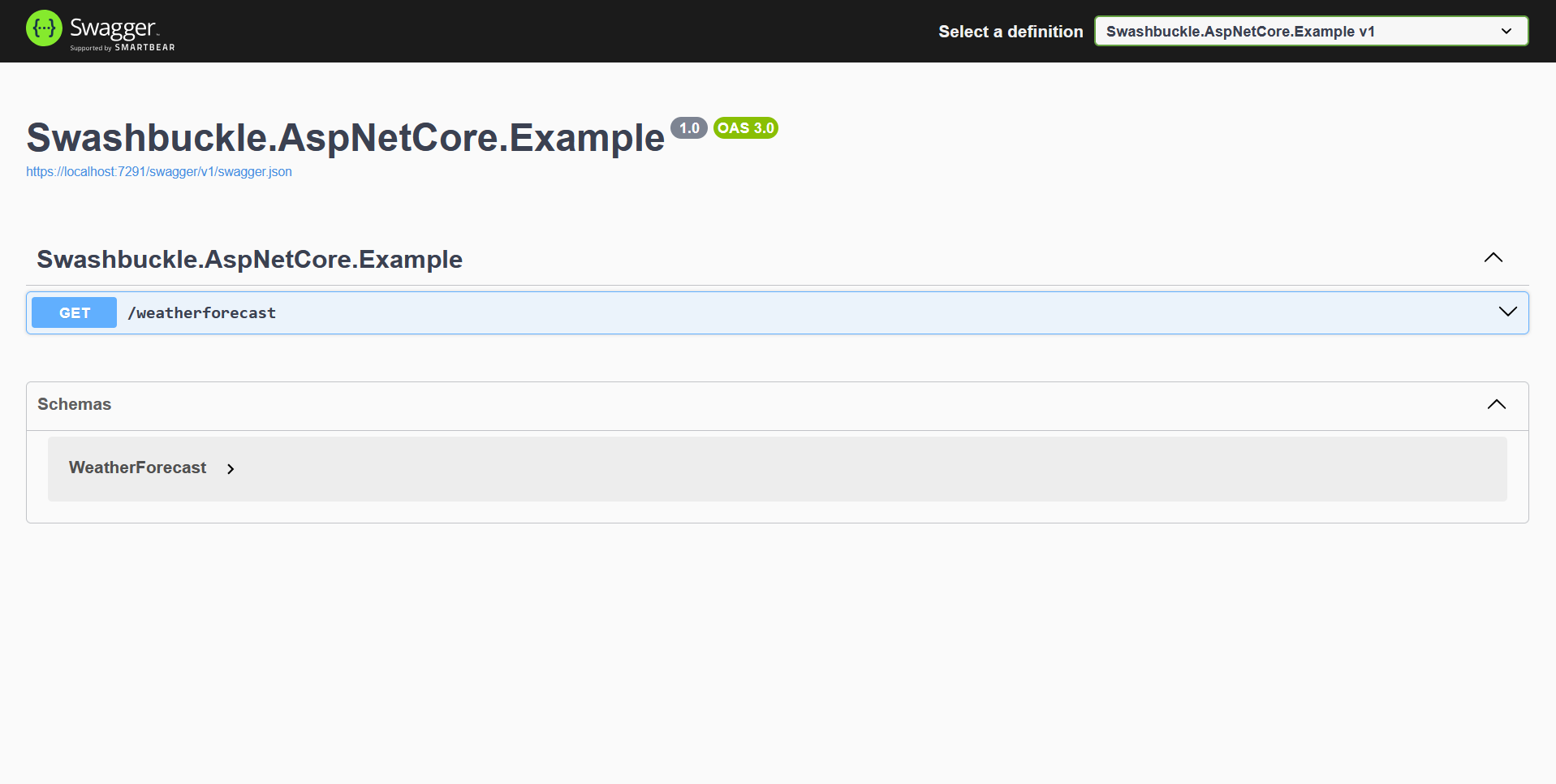
With this in place, you’ll be able to serve the standard Swagger UI alongside your existing OpenAPI document:
However, since adding a UI requires some manual setup regardless of the option you choose, this might be a good opportunity to consider alternative UI solutions.
Scalar
Scalar is a modern, much better looking OpenAPI UI built for ASP.NET Core applications.
It offers a sleek developer experience out of the box, making it an excellent alternative to Swagger UI.
To get started with Scalar, we need to install necessarry NuGet package:
dotnet add package Scalar.AspNetCoreOnce installed, you can expose the Scalar UI by calling MapScalarUI in your app configuration:
builder.Services.AddOpenApi();

var app = builder.Build();

if (app.Environment.IsDevelopment())
{
    app.MapOpenApi();
    app.MapScalarUI("v1"); // This maps /scalar endpoint using the v1 OpenAPI doc
}
Now, we can navigate to /scalar/v1 to access our brand-new, interactive API UI.
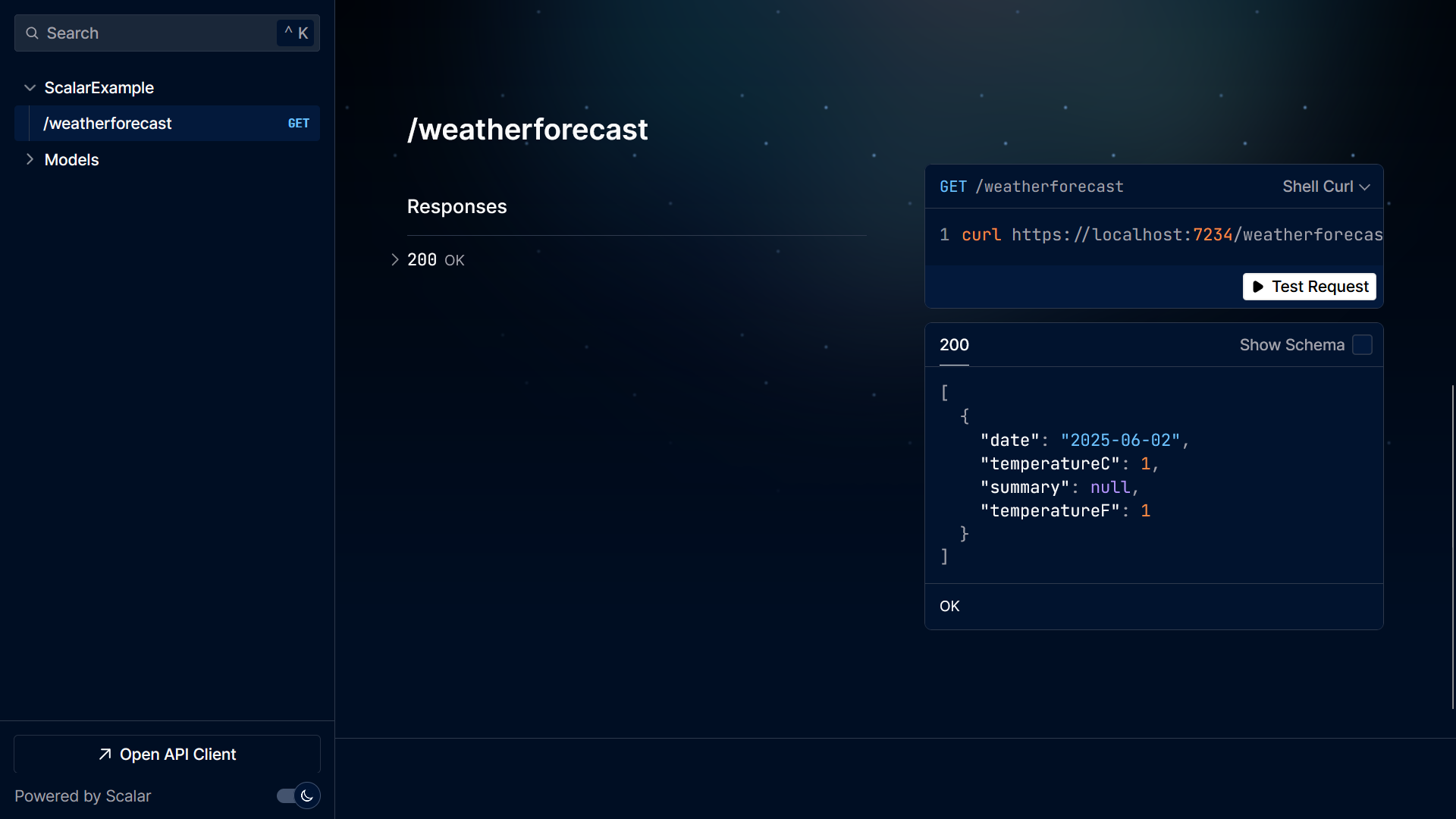
Pros of Scalar:
- Modern and responsive design
- Easily extendable
- Great for cross-team collaboration
My client particularly appreciated Scalar because of the multiple teams using different technologies needed to integrate with our API. Scalar provided a clear and unified interface for all of them.
NOTE: Scalar currently does not support Azure Functions.
If you're building APIs across both ASP.NET Core and Azure Functions and want a consistent UI across projects, you may want to hold off on Scalar for now.
ReDoc
ReDoc is a popular open-source OpenAPI UI that emphasizes clean layout, readability, and high-quality documentation.
Unlike Swagger UI or Scalar, ReDoc is more documentation-focused than interactive, making it a great choice when clarity and presentation are top priorities.
To get started with Redoc, we need to install the necessary NuGet package:
dotnet add package ReDoc.AspNetCoreConfiguring ReDoc is straightforward. Use the UseReDoc middleware in your app setup and specify the route and OpenAPI spec Url:
if (app.Environment.IsDevelopment())
{
    app.MapOpenApi();
    app.UseReDoc(c =>
    {
        c.RoutePrefix = "docs";
        c.SpecUrl = "/openapi/v1.json";
    });
}
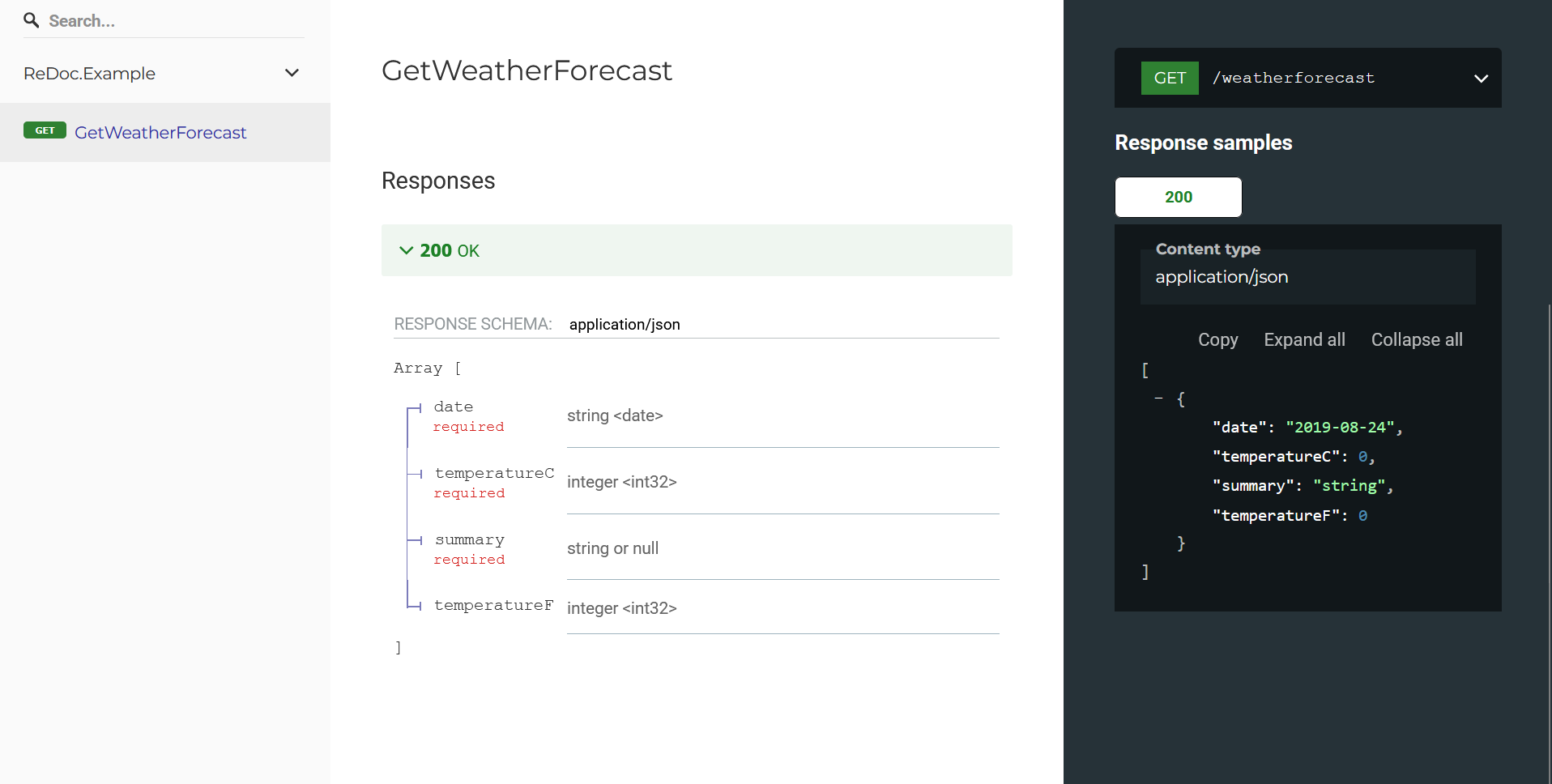
Once configured, navigate to /docs to view the ReDoc UI.
Launch Settings
To fully replicate the experience you had prior to .NET 9, there’s one final step.
If you want your browser to automatically open your API documentation on project launch, you’ll need to update the Properties/launchSettings.json file:
{
  "profiles": {
    "https": {
      "commandName": "Project",
      "launchBrowser": true,
      "launchUrl": "scalar/v1",
      "dotnetRunMessages": true,
      "applicationUrl": "https://localhost:7043;http://localhost:5234",
      "environmentVariables": {
        "ASPNETCORE_ENVIRONMENT": "Development"
      }
    }
  }
}
Make sure that "launchBrowser" is set to true and "launchUrl" points to the route where OpenAPI UI is (e.g. /swagger, /scalar/v1, /docs).
This way, every time you run your project, your browser will automatically open to the desired UI route, just like it used to.
Conclusion
Proper document generation is most important so I can see why Microsoft wants to control it.
Fortunately, there are several excellent UI options available to us:
- Swashbuckle remains a solid and familiar choice
- Scalar offers a more modern and feature-rich experience
- ReDoc excels at presenting clean, well-structured documentation
If you want to check out examples I created, you can find the source code here:
Source CodeI hope you enjoyed it, subscribe and get a notification when a new blog is up!